Apex Legends Download Size & Storage Requirements (2026)
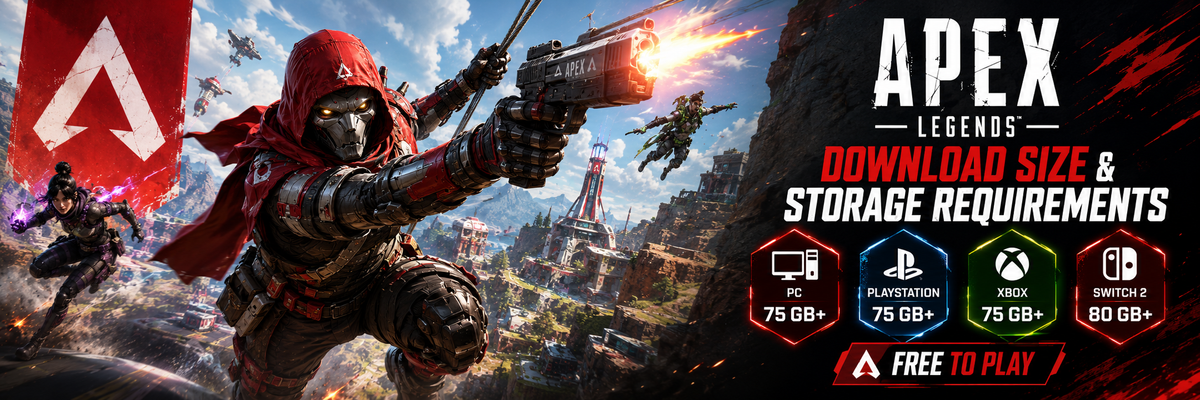
Although Apex Legends is still free to download on PC, PlayStation, Xbox, and Nintendo Switch 2, do not assume anything about the installation size. The current help article by EA clearly mentions that the game is available for downloading through the platform store for supported devices, and that the storage capacity changes over time. For the PC users, the official storage requirements by EA are still at a 75 GB minimum, whereas, according to the current guide, at least 80 GB of free space will be needed for downloading the game on Nintendo Switch 2.
Apex Legends installation size in 2026
It seems like the best approach to the topic of Apex Legends download size is to say that the game is rather large and that its storage requirements can vary depending on different factors, including new seasons and updates and packaging. At least 75 GB of free storage capacity are stated in EA's official PC requirements, and in the current downloading article, EA provides a minimum of 80 GB for Nintendo Switch 2. It is also mentioned that the minimum storage can change, so one must take the above figures with a grain of salt.
For gamers who want to know how much room they have to keep open prior to installing Apex Legends, the most sensible response would be to provide some leeway in terms of hard disk space. Games, particularly live service games, always get bigger after a patch and the installation process will often need some temporary space when unpacking files and applying updates.

Apex Legends storage requirements by platform
PC
On the PC, there are three ways that gamers can access Apex Legends, and they include the EA app, Steam, and the Epic Games Store. The minimum hard drive space for the game on PC, according to EA, is 75 GB. Since it is mentioned that Apex Legends is playable from all the mentioned platforms, the base requirement will suffice here.
It is 75 GB which should guide the storage calculations, regardless of whether your initial installation seems larger or smaller. There will be variations, depending on updates, how the platform handles things, and what files the launcher retains. For the player who is already running a PC system close to maximum SSD capacity, Apex becomes an irritating game very quickly without any spare room.
PlayStation
The currently active help page of EA supports PlayStation among its platforms, and describes the official download process step-by-step: opening the PlayStation store, searching for Apex Legends, and clicking Download. The EA help page does not give any separate information in gigabytes for the PlayStation platform, just as it does not do so for the PC or Switch 2.
This is important since console storage differs from PC storage. System files, reserved capacity, and update processes can all affect your storage capacity needs. For Apex Legends, EA recommends downloading directly from the store and noting that storage needs might fluctuate.
Xbox
Installation on the Xbox platform is quite easy since EA advises users to access the Microsoft Store via the Xbox home screen, then to locate Apex Legends and install the game. Just like with PlayStation, the EA website doesn’t specify a definite GB requirement for installing the game on the Xbox platform.
Apex is still available for free download on Xbox, although free download doesn’t equate to free storage. With limited storage space on your console, downloading Apex might result in having less space for other live service games. The safe way to go about this would be to have adequate space for both the installation and future updates.
Nintendo Switch 2
It is the sole console in which EA specifies how much storage space is required to download Apex Legends, according to their official help site. EA also states that you may require an additional microSD card based on your available storage capacity. Additionally, they state that storage requirements are subject to change.
The other point from the EA guide is that if you have installed Apex Legends on your Nintendo Switch 2 prior to August 5, 2025, then you will need to update the game through the game's in-game process for Switch 2 version. That is a crucial piece of information for players who previously owned the title, since old and new installments may differ.
Why Apex Legends needs such storage space
While Apex Legends is a single map battle royale with weapons, it is more than that. The title has lots of Legends, frequent modes and events, cosmetics, updates, maps, anticheat measures, and frequent patches. All these things, as well as regular updates and events, demonstrated by the homepage from EA's official site, make the game's storage footprint constantly increase.
That is also why the old estimations for storage sizes have been becoming less accurate at each release of a new update. The size estimation used during last season will likely become totally irrelevant as soon as you make some changes to your storage or get a newer patch that introduces some differences to how assets are delivered. Therefore, it is recommended to follow the current estimation of size requirements that is stated officially by the company rather than the one found on Reddit forums or some obsolete web pages.

How many GB should be left free?
While the minimum amount stated above will surely work for all users who will not exceed it, there might still be some problems due to the limited accuracy of estimation. In order to avoid any issues and to stay safe, it is recommended to leave around 10-20 additional GBs of free storage space besides the minimum requirement.
In case you are on PC, then your goal should be treating 75 GB as a bottom line rather than a cap. For the Nintendo Switch 2 platform, do the same thing, but with 80 GB this time. On the PlayStation and Xbox platforms, since the existing EA guide fails to give a solid figure for the required number of GBs here, it’s safer to allow some additional cushion.
Best setup for storage on Apex Legends
If you are using PC, an SSD becomes the only logical choice. Apex Legends is an FPS game where quick loading is important, and it helps a lot to update the game easily when necessary. While EA emphasizes the 75 GB requirement on its PC site, a player would want some additional free space on this drive.
The best thing on the console is just to ensure you have enough space on the hard disk when you are about to begin downloading a big event or season update. Sometimes, Apex Legends updates can require quite a lot of space that would force another game on the same console to take second place during installation. If your hard disk is running out of space, you will have an easier time if you create room first before even beginning the install process. As indicated by EA's help page for the game, Apex Legends is installed via the respective platform's store; thus, the platform's available space determines success or failure.

How to create room for installation of Apex Legends
Before installation, it is best to get rid of games that you do not use. These are often huge and live-service games that would give you more room than many applications. On PC, you could choose to change the drive that your other games are on if possible. EA's current PC installation guidelines indicate that you select an installation location during the initial setup process.
But do not forget to review possible storage risks in terms of old screenshots, clips, outdated files, duplicates of other games or game launches. It may happen that these elements are small in size individually but will stop your installation at the critical point when everything seems fine. So, if you are planning a new installation of Apex, clearing your drive in advance will save you a lot of troubles.
Important information before downloading
Downloading Apex is completely free for all the gamers, yet the game is far from being a light one. Official EA estimates indicate that it requires 75 GB of available space on PC and 80 GB of available storage on Nintendo Switch 2. EA also states that these numbers can be updated, so the best way out would be to have some backup space in advance.
If you are about to install Apex on PlayStation or Xbox, then EA confirms that the platform supports those consoles, but no fixed amount of GB space is indicated by EA.
FAQ
What's the required storage space for Apex Legends on PC in 2026?
According to EA's official list of PC specifications, there is a need for 75 GB of free space.
What's the minimum required storage capacity for downloading Apex Legends on Nintendo Switch 2?
EA’s guide mentions that the minimum necessary storage is 80 GB, though you may also need to use a microSD card.
Where can I download Apex Legends - Steam, EA app, or Epic Games Store?
Apex Legends can be downloaded on PC from Steam, EA app, and Epic Games Store.
Will my Apex Legends' storage capacity remain constant forever?
No, storage capacity requirements may vary, that's why additional free space may come in handy.
Conclusion
When installing Apex Legends in 2026, take note that according to the official information provided by EA, you will need 75 GB of free space for PC and 80 GB for Nintendo Switch 2. EA does not provide a specific GB estimate for PS5 and Xbox Series X, but it confirms that you will need to install the game. The important point about Apex Legends is that this is a live service, which means you will be working with it for quite some time.
For Those interested, here is their Apex merchandise collection:
https://bowchika.in/collections/Apex